Studio Print Handbook
To achieve the best possible print quality, please follow these guidelines when preparing and supplying your image files. Files that do not meet these specifications may be returned for correction before printing commences.
TURNAROUND & DELIVERY
How Long Will My Prints Take?
All prints are produced to order in our studio. Your prints will be printed and dispatched within three to four business days. Transit times then vary depending on your location — see below for indicative timeframes.

SHIPPED VIA AUSTRALIA POST
Transit timeframes are indicative only and depend on your location.
METRO SYDNEY
1–2 days
REGIONAL NSW
2–4 days
INTERSTATE
3–6 days
INTERNATIONAL
7–14 days
PACKAGING & PROTECTION
How My Prints Are Packed
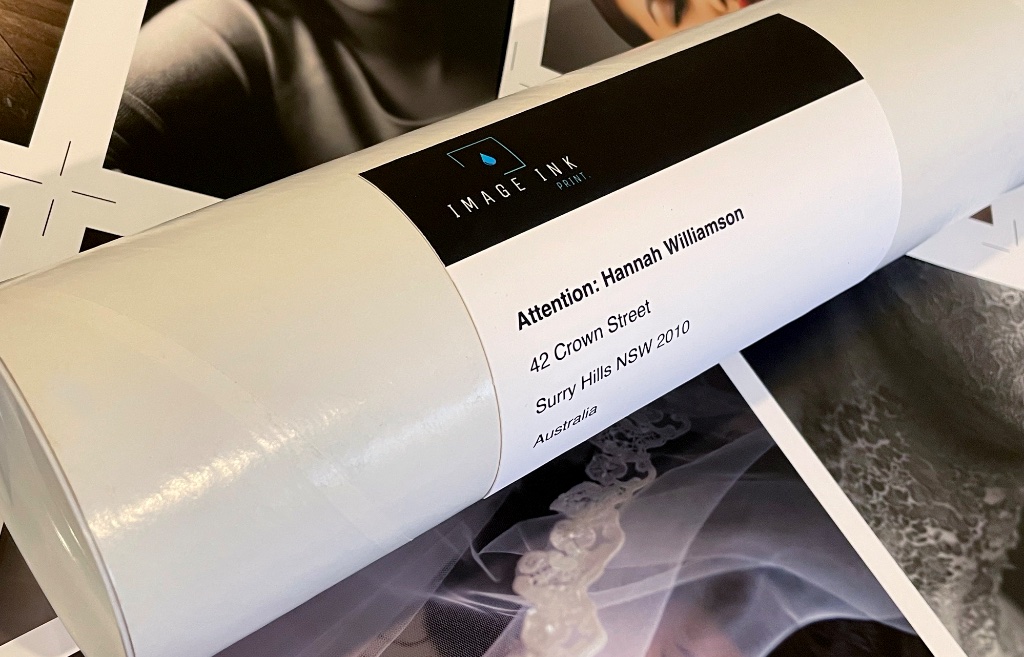
Your prints are rolled and packed in a 90mm solid white mailing tube, interleaved with acid-free glassine paper to protect the printed surface. This keeps every print in mint condition during transit — no creases, no scuffing.
RESOLUTION
All image files must be supplied at a minimum of 300 DPI (dots per inch). For the sharpest results, we recommend supplying your file at the exact printed size and at 300 DPI or higher. Files supplied below 300 DPI may exhibit visible pixelation or softness in the final print.
FILE FORMATS
We accept high-quality JPEG files (saved at maximum quality, optimised for print) and TIFF files. JPEG is preferred for most submissions due to its efficient file size. TIFF is ideal when lossless quality is required. Both formats must be saved as flat, merged files.
Proportions & Cropping
Images should be supplied with the correct proportions, or at the correct proportions, to match your selected print size. If the proportions of your file do not match the selected print size, your image will be scaled to fill the shortest dimension — the excess on the longer dimension will be cropped from the edges. See the diagram below for a visual example.
FILES IDEALLY SHOULD BE SUPPLIED AT THE CORRECT PROPORTIONS.
CROPPING DIAGRAM — IMAGE SUPPLIED AT 2:3, PRINTED AT 8×10″ (4:5)
SUPPLIED FILE (2:3)
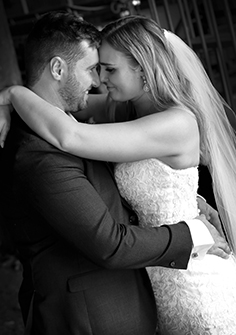
8×10″→
FINAL PRINT (4:5)
THE IMAGE IS SCALED TO FILL THE WIDTH. CONTENT OUTSIDE THE PRINT AREA IS CROPPED EQUALLY FROM THE TOP AND BOTTOM EDGES.
4 — WHITE BORDERS
How the Borders Work
HOW THE BORDERS WORK — 8 × 10 INCH PRINT
The white border is unprinted paper that frames your image. The image itself is not cropped or reduced — the border is added around it, so the paper size grows as the border increases.
Borders work exactly the same way regardless of your image size — an 8 × 10 inch print is shown here purely as an example. Whatever size you order, the border is simply added around the image on all four sides.
WE ADD THE BORDERS, NOT YOU. Just select the border size you want — files should be supplied with no border.
NO BORDER
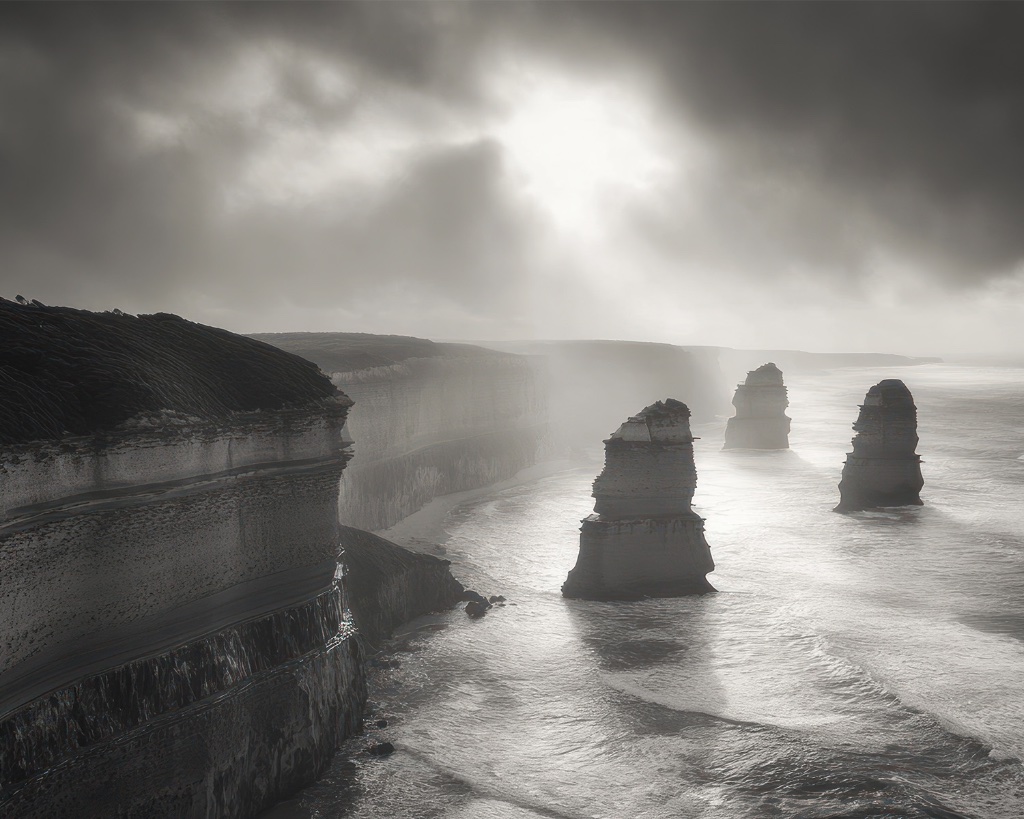
Image extends to the very edge of the print.
20MM BORDER
A slim white border frames the image.
40MM BORDER
A generous, balanced border.
80MM BORDER
A wide, gallery-style white border.
PRICING NOTEPrint pricing is based on the total media length used. Because white borders are added around the image, a larger border increases the paper size — and therefore the cost.
BORDERS ARE ADDED TO ALL FOUR SIDES EQUALLY. THE IMAGE IS NOT CROPPED OR REDUCED.
5 — PRODUCTION RUN
How Production Run Ordering Works
PRODUCTION RUN — 432MM (17″) ROLL · POSTCARD 100 × 148MM
Identical prints are automatically nested across the roll width and rotated for the most economical use of media. The two layouts below show the same order of 10 prints — first without a border, then with a 20mm white border — so you can see how a border increases the roll length consumed.
A · NO BORDER
TO WASTE
TO WASTE
IMAGE SIZE
100 × 148mm
LAYOUT
4 across × 3 rows
ROLL LENGTH
444mm
PRINTS
10 + 2 waste
B · 20MM WHITE BORDER
TO WASTE
TO WASTE
IMAGE + BORDER
140 × 188mm
LAYOUT
3 across × 4 rows
ROLL LENGTH
752mm
PRINTS
10 + 2 waste
SAME ORDER, MORE MEDIAAdding a 20mm white border grows each print from 100 × 148mm to 140 × 188mm. The same 10 prints then need a longer run — 308mm more roll length — because fewer prints fit across the width. Pricing is based on the total length of roll media used, so the border increases the cost.
FILL THE WASTEBoth layouts leave 2 slots running to waste — media that's already paid for. Fill them with extra prints at no additional cost.
COLOUR PROFILES
Files should be supplied without embedded colour profiles. Our studio applies precise colour management using calibrated ICC profiles and hardware-profiled output devices. Embedded profiles can conflict with our calibration workflow and may produce unexpected colour shifts in the final print.
LAYERS & PHOTOSHOP ELEMENTS
Files must not contain layers, adjustment layers, smart objects, masks, or any other Photoshop elements. All layers must be flattened and merged before export. Additional embedded elements can interfere with colour rendering and may produce unexpected results in your final print.
NEED HELP PREPARING YOUR FILE?
Contact our studio and we'll guide you through the preparation process.